Why People Are Saying No to MCP: The Human Cost of Connecting AI to Every Tool
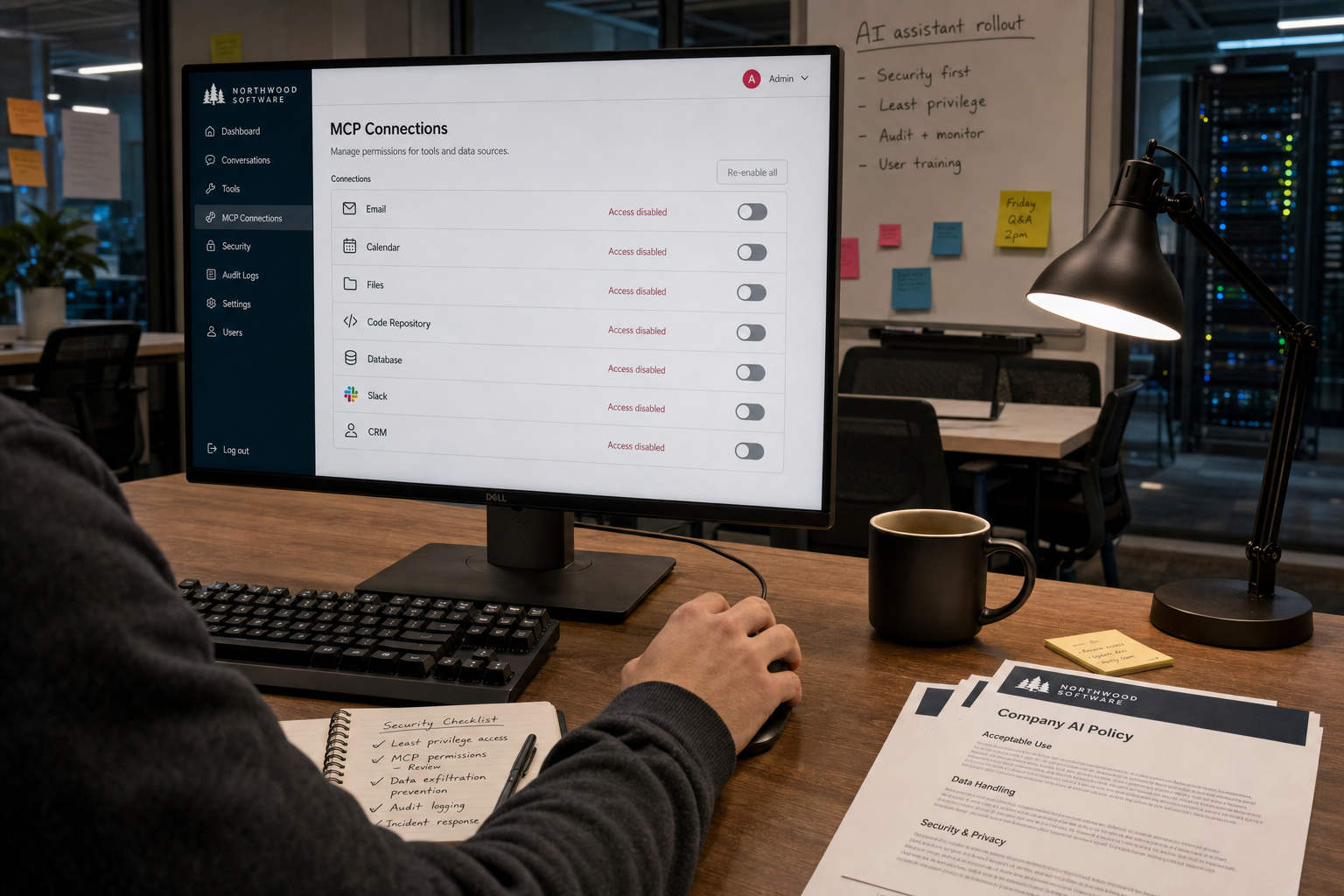
More developers and users are pushing back on MCP, or the Model Context Protocol, a growing standard for connecting AI systems to outside tools like email, calendars, file drives, code repositories, databases, and business apps. The pitch is simple: one common way for AI products to plug into everything. The backlash is simple too: not every system should be one prompt away from an automated action.
This matters because the debate is not really about a protocol. It is about power, permission, and cleanup. When an AI tool can read across systems and act inside them, mistakes stop being limited to bad answers on a screen. They can become leaked files, wrong edits, accidental messages, broken records, or compliance problems. The main tension is clear: MCP promises convenience and speed, but it can also lower the friction that protects people, teams, and institutions from careless access.
What MCP is, in plain terms
MCP is meant to solve a real problem. Right now, connecting an AI assistant to outside tools often requires custom work. A standard protocol offers a cleaner way to do that. In theory, one AI client could connect to many tools through a shared method instead of every company building its own connector from scratch.
That is why the idea has momentum. Standardization can reduce engineering work, improve compatibility, and make useful features easier to build. A research assistant could search internal documents. A coding tool could inspect repositories. A workplace assistant could check a calendar, draft notes, or pull data from approved systems.
Those are real benefits. But they do not answer the harder question: should the connection exist, and under what limits?
The strongest case against “connect it to everything”
The case against MCP is not that interoperability is bad. It is that broad AI connectivity is often treated as neutral infrastructure when it is really a decision about trust.
When a company connects an AI tool to a document store, customer database, ticketing platform, payroll system, and internal chat, it is not just adding convenience. It is redesigning who can reach what, how quickly, and with how little review. A system that used to require separate logins, role-based controls, and human judgment can start to look like one large surface area.
That shift has a human cost.
- Consent gets blurry. One person may enable an AI connector that exposes documents written by many other people who never agreed to have their work surfaced in that way.
- Mistakes become operational. A wrong summary is annoying. A wrong update in a CRM, a wrong calendar action, or an email sent to the wrong person creates real damage.
- Responsibility gets muddy. When a bad action happens, who owns it: the user, the IT team, the vendor, or the manager who approved the rollout?
- Cleanup falls on workers. The people who save time from automation are not always the people who fix the errors, untangle permissions, and answer for compliance failures.
That last point is often missed. In many workplaces, the cost of “smart” integration is paid by admins, support staff, security teams, junior employees, and anyone whose job suddenly includes checking what the AI tool touched.
Friction is not always a flaw
Technology teams often treat friction as a problem to remove. In some cases, that is right. Repeating the same login flow or copy-pasting data across tools wastes time. But some friction is protective.
Needing to open a separate system, request access, or confirm an action forces a pause. That pause gives people a chance to notice context. Is this file sensitive? Is this record final? Is this the right client? Does this person have permission to see this?
MCP can reduce that pause. That is part of its appeal. But if every protected system becomes part of one smooth conversational layer, the old barriers can disappear faster than the governance around them.
People who say no to MCP are often saying yes to something more basic: deliberate boundaries.
The workplace examples are easy to imagine
Consider a few ordinary cases.
An employee connects an AI assistant to internal documents and asks for “everything related to 2025 compensation changes.” The tool retrieves draft salary guidance, management notes, and outdated policy files. The result may be incomplete, misleading, or improperly exposed. Even if no data leaves the company, access has changed in practice.
Or take customer support. An AI system connected to the ticketing platform and order database may speed up responses. It may also pull the wrong customer history, trigger a refund incorrectly, or expose private account details in a generated reply. The damage is not theoretical. It lands on the customer and the support team.
In software teams, connecting AI to repositories, issue trackers, and deployment tools can help with debugging or release notes. It can also widen the path from suggestion to action. A weak permission model, a misunderstood prompt, or a bad configuration can turn a helpful assistant into a fast channel for mistakes.
These are not arguments for panic. They are arguments for design discipline.
The hidden issue: social pressure
There is another reason people are resisting MCP, and it is not purely technical. In many organizations, once a new AI capability exists, workers feel pressure to use it.
If the assistant can search every internal system, why did you not use it? If it can prepare a report in ten seconds, why are you taking an hour? If it can handle inbox triage, why are you still checking details by hand?
This is where “optional” tools become management expectations. People may be pushed to hand more of their work over to connected systems before policies, training, and safeguards are mature. That changes the job. It can also change the standard of care in ways that make workers more exposed when something goes wrong.
The promise of speed often arrives before the process for accountability.
Supporters of MCP have valid points
It would be unfair to treat the push for MCP as reckless by definition. Supporters have a strong case on several fronts.
- Standardization can be safer than ad hoc integrations. One well-understood protocol may be easier to audit than dozens of private connectors.
- Good tool access can improve usefulness. Many AI products are limited because they cannot see the right context or act in the right systems.
- Accessibility can improve. A well-designed assistant can help people navigate complex software, retrieve information, and complete tasks more easily.
- Enterprises need interoperability. Large organizations already live inside fragmented tool stacks. Shared connection methods reduce duplication.
All of that is true. The problem is not the existence of a standard. The problem is the rush to treat capability as permission.
The real question is governance, not hype
MCP debates sometimes get framed as pro-innovation versus anti-innovation. That is the wrong frame. The better question is this: what rules should apply when AI tools gain broad operational access?
Any serious use of MCP should answer a few plain questions before rollout:
- What exact systems can the AI reach?
- Can it only read, or can it also write, send, edit, approve, or delete?
- Who granted that access, and on whose behalf?
- What logs exist for review?
- How are sensitive documents, personal data, and regulated information handled?
- Can a team opt out?
- What happens when the system is wrong?
If those answers are vague, the integration is not ready, no matter how polished the demo looks.
A better default: narrow scope, explicit consent
The strongest position in this debate is not “never use MCP.” It is “use it narrowly, visibly, and with real limits.”
That means starting with constrained access, not full access. Read-only before write access. Specific repositories before whole drives. Individual opt-in before department-wide defaults. Clear approval steps before autonomous actions. Separate tools for high-risk systems. Human review for anything that affects customers, employees, money, legal records, or security.
It also means designing for reversal. Users should be able to see what the AI accessed, undo what it changed, and understand which source produced which result. Without that, trust is mostly theater.
Why saying no can be the responsible answer
Sometimes the most responsible decision is not to integrate yet.
That is especially true when the value is vague but the access is broad. “It might save time” is not enough reason to connect an AI tool to legal files, HR systems, financial records, private chats, or sensitive customer data. The burden of proof should rise with the risk.
In practice, many people saying no to MCP are rejecting a habit in the tech industry: shipping the connection first and discovering the human consequences later. They are asking for a higher standard before access becomes normal.
That is not fear. It is judgment.
The bottom line
MCP may become a useful piece of AI infrastructure. Standard ways to connect tools are not inherently bad. But the current push often skips the hardest part: once AI can reach across systems, ordinary errors become institutional problems.
The right question is not whether AI can connect to every tool. It is who benefits, who bears the risk, and who cleans up the mess when access outruns control.
If organizations want trust, they should earn it the old-fashioned way: small scope, clear consent, strong logs, reversible actions, and human accountability. Until then, saying no to MCP is not anti-progress. It is a sensible way to protect people from a very modern kind of overreach.